Purpose of this generator
Using this email signature generator allows you to easily customize your email signature to fit our company's standard and allow us to portray a cohesive, professional unit.
Step 1: Input your information.
The preview will update as you type.
Name:
Title:
Phone:
Email:
Step 2: Signature Preview
First Last
Chief Executive Officer
Office/Cell: 303.945.1234




Recipients will not, in whole or in part, disclose any of the proprietary or confidential
information to any person, firm, corporation, association or other entity for any reasons or
purpose
whatsoever, nor shall they make use of any proprietary or confidential information for their own
purposes or benefit without the prior express written consent
of Bross Group.
Step 3: Copy Signature into Outlook.
Copy the HTML preview above and paste it into Outlook's email signature editor.
If neccesary, please make only minimal additional changes.
Updating email signature in Outlook Web
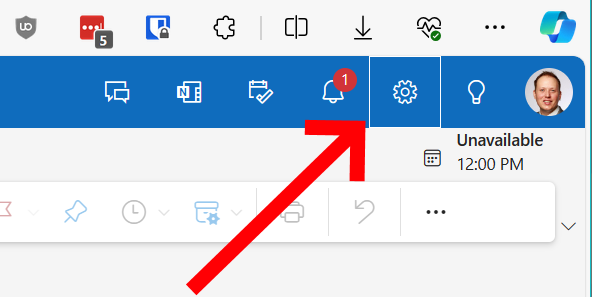
Click the gear icon in the upper-right.
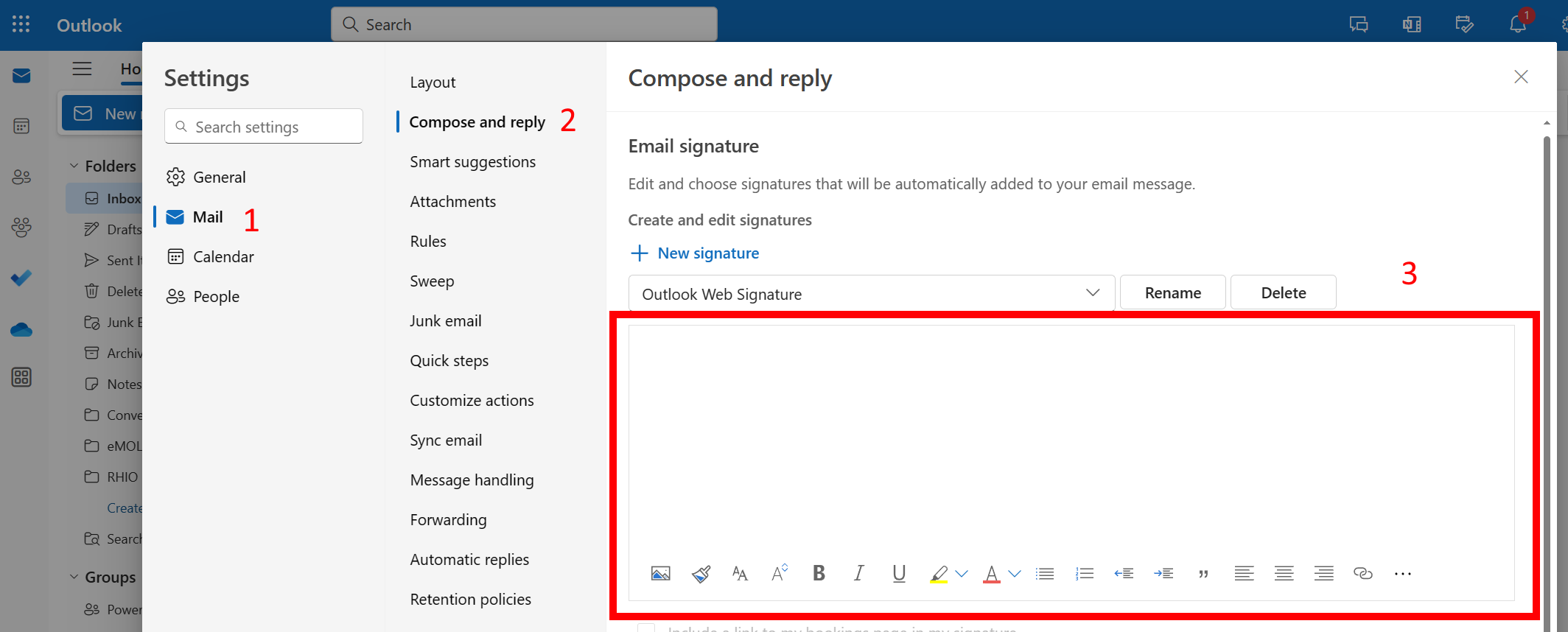
Choose Mail ➡️ Compose and reply
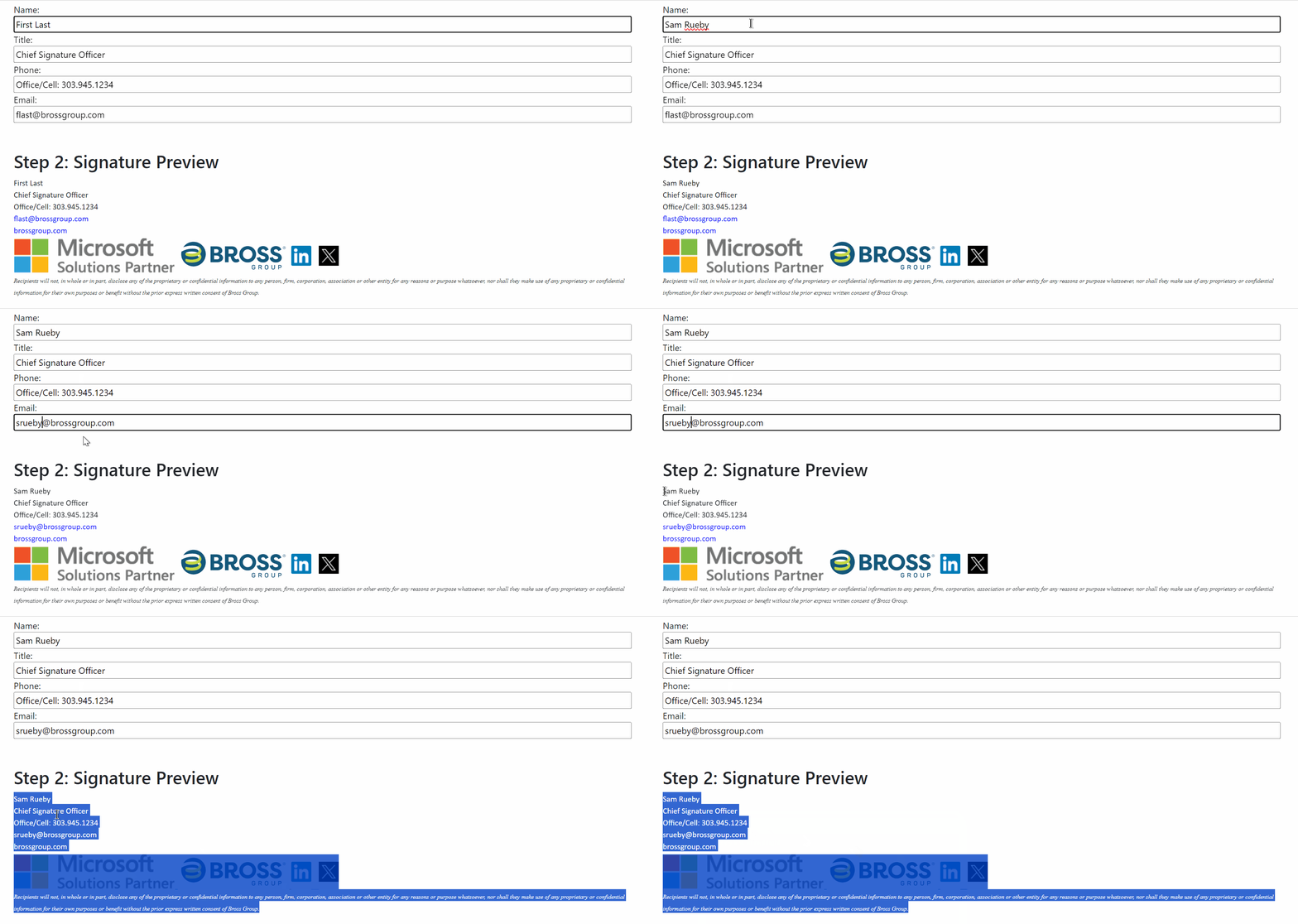
Carefully copy the email signature above. Paste into the signature settings box in Outlook.
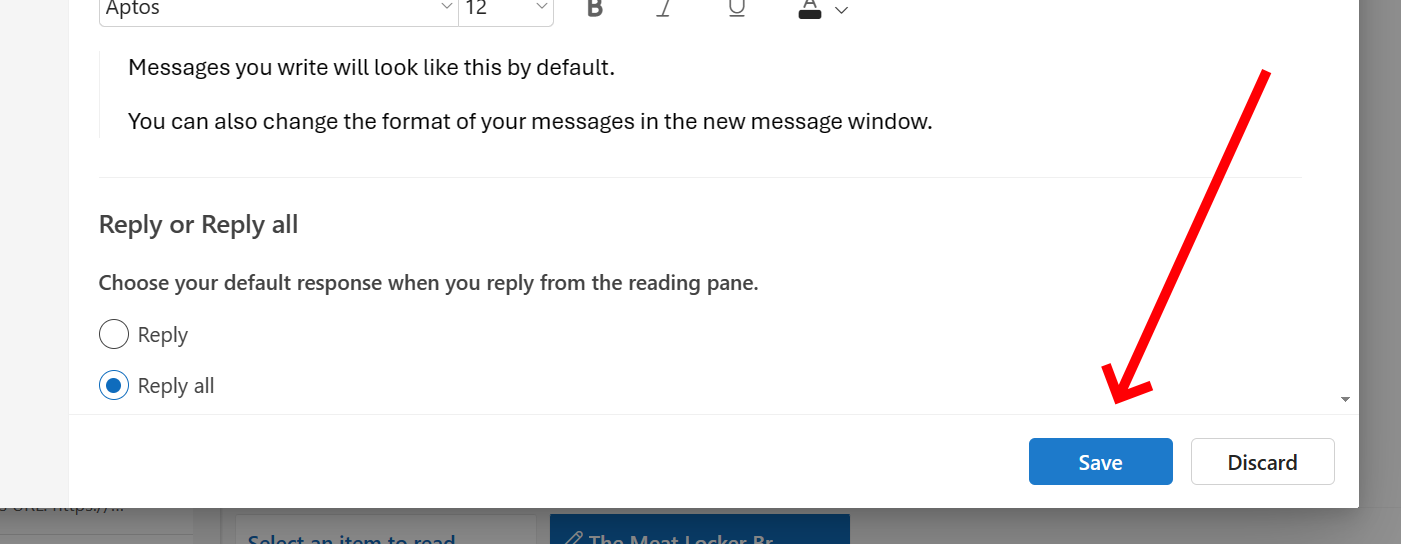
Don't forget to save!
Step 4: Send an email confirmation to Sam Rueby.
To confirm your email signature was updated correctly and that is viewable to other people.